GetBrick Review: Focus and Screen Time Solution
By Admin
Published on 2026-01-20 12:50:00

GetBrick is a unique device that helps you reduce distractions and manage screen time. It pairs with an app to block selected apps, improve focus, and create better daily habits.
GetBrick Review: A Complete Focus Solution
In today’s digital world, smartphones have become essential tools but they also make it easy to get distracted. Many people struggle to limit their screen time and find it hard to stay productive. While phone apps and built-in tools can help, they are often easy to bypass.
This is where GetBrick stands out. GetBrick combines a physical device with a companion app to create intentional focus sessions. It is designed to help users reduce distractions and develop better digital habits. In this review, we will explore how it works, its features, benefits, and whether it is worth purchasing.
Whether you are a student, professional, or someone trying to reduce screen time, this review will guide you through everything you need to know about GetBrick.
About the Brand: GetBrick
GetBrick is a company focused on providing innovative solutions for digital wellbeing. The brand believes that reducing distractions requires both intentional actions and supportive tools. Unlike software-only approaches, GetBrick emphasizes a physical component to encourage better habits.
The company offers products that are designed for simplicity, efficiency, and ease of use. Their focus is on providing tools that support productivity, focus, and self-discipline. Key points about the brand include:
-
Provides physical devices paired with digital tools
-
Offers simple and easy-to-use solutions
-
Focuses on reducing distractions and increasing productivity
-
One-time purchase, no subscriptions required
-
Supports iOS and Android devices
GetBrick has gained attention for creating a tangible way to manage screen time. By combining hardware with an intuitive app, the brand helps users maintain focus and develop consistent digital habits.
Product Overview: GetBrick Device
The main product from GetBrick is the GetBrick Device, designed to block distracting apps and websites on smartphones. It works with NFC technology and a companion app to create structured focus sessions.
Key Features of GetBrick Device
-
Physical device that requires intentional interaction to unlock phone
-
Blocks selected apps and websites during focus sessions
-
Customizable modes such as Work, Study, and Family Time
-
Tracks screen-free time to monitor progress
-
Emergency override for essential access
-
Compatible with iOS 16.2+ and Android 12+
The GetBrick device is ideal for anyone struggling with distractions or attempting to reduce screen time. Its physical presence encourages mindfulness and accountability.
How to Use GetBrick
Using GetBrick is straightforward. The companion app and the physical device work together to create a seamless experience.
-
Select the apps and websites you want to block using the app
-
Create custom focus modes based on your activities
-
Tap your smartphone to the device to start a focus session
-
Monitor your progress in the app with tracked time
-
Tap the device again to end the focus session
This method adds a physical element to digital discipline. It is more effective than relying solely on phone-based blockers.
Comparison With Built-in Tools
Most smartphones offer screen time management tools. However, GetBrick provides a unique advantage by combining software with a physical device.
| Feature | Built-in Tools | GetBrick |
|---|---|---|
| Easy to bypass | Yes | More difficult |
| Physical interaction | No | Yes |
| Custom modes | Limited | Yes |
| Motivation to stay focused | Low | High |
| Progress tracking | Limited | Yes |
GetBrick adds intentionality and accountability that most built-in tools cannot provide.
Benefits of Using GetBrick
Using GetBrick provides several benefits for focus, productivity, and habit formation.
-
Reduces mindless scrolling and distractions
-
Encourages structured work and study sessions
-
Builds awareness of phone usage patterns
-
Supports the development of healthier digital habits
-
One-time purchase with lifetime app access
Many users have reported positive changes in their daily routines after incorporating GetBrick. The combination of physical interaction and app tracking helps maintain long-term focus.
Conclusion
GetBrick is a reliable tool for anyone seeking to manage screen time and reduce distractions. Its physical device combined with a companion app offers a unique approach to digital wellbeing.
The device is easy to use, compatible with most modern phones, and provides tangible results. By using GetBrick, users can improve focus, create better habits, and increase productivity without relying solely on software-based limits.
For those who have tried digital wellbeing apps and found them insufficient, GetBrick is a practical solution that encourages intentional use of technology.
Check out GetBrick today and take control of your focus
Stay tuned to VibenVenture for more smart tech reviews and Brick device guides.
Experience Real Value with the Smart and Spacious LG UA77 TV
By Admin
Published on 2025-08-11 12:56:00
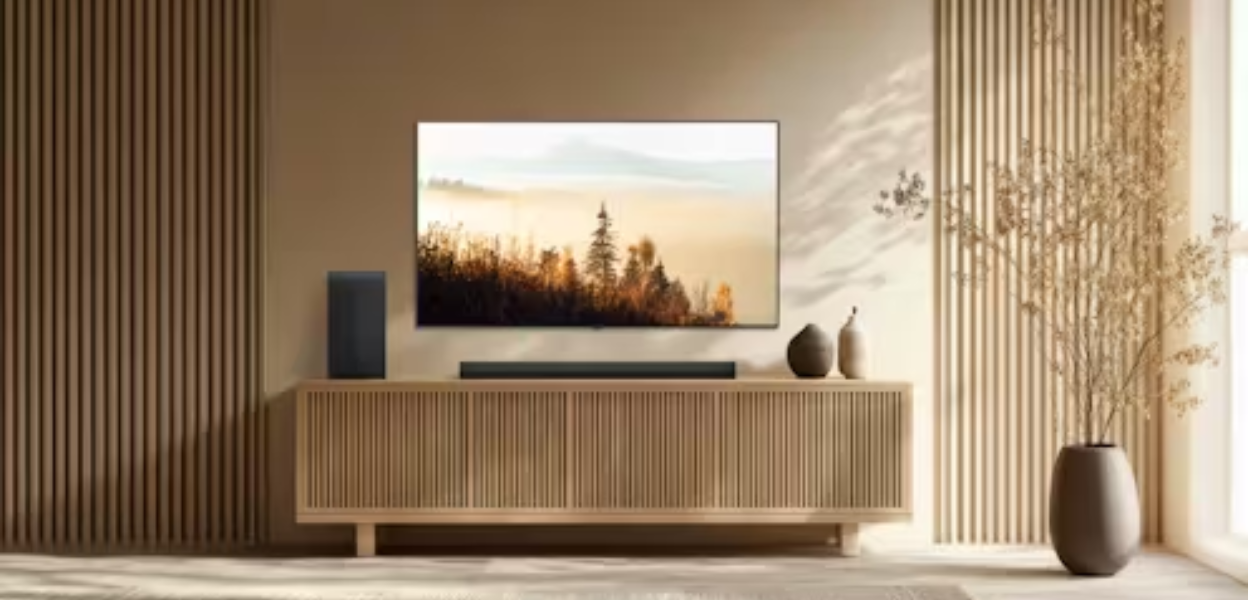
From 43 to 86 inches, the LG UA77 TV series brings 4K quality, smart features, and surprisingly strong value to living rooms of all sizes.
When a TV series checks every box, picture quality, smart features, design flexibility, and pricing that doesn’t feel outrageous, it deserves a closer look. The LG UA77 series delivers on all of that across its lineup, ranging from 43 inches to 86 inches. Whether it's a space-saving bedroom upgrade or a full-scale home theater centerpiece, this lineup combines smart usability with surprising depth.
And that’s what makes it stand out. While many TVs today are either too feature-packed or too stripped down, the UA77 finds a practical middle ground, not too expensive, not too basic, and versatile enough to fit into a variety of living spaces. With LG's attention to design, webOS enhancements, and personalized viewing options, this isn’t just another mid-range release, it’s a full series worth taking seriously.
So What Is the LG UA77 Series All About?
The UA77 series is part of LG Electronics appliances portfolio for 2025 and carries the brand’s updated AI-powered Alpha 7 Gen8 processor, offering intelligent 4K upscaling and visual clarity across every screen size. That means even on the smaller models like the 43" or 50", you’ll notice the same processing benefits you’d get on the massive 86".
It’s a direct LED 4K LG TV line, delivering realistic color and contrast without relying on the premium OLED price tag. With HDR10 Pro, visuals are sharp and dynamic whether you're watching during the day or with the lights off.
One of the most defining aspects of this series is its webOS 25 interface. It’s not just functional, it’s actually user-friendly. There’s no digging through layered menus. Everything from Netflix and YouTube to your LG Channels or Xbox Cloud Gaming is just a few taps away. And speaking of LG Channels, yes, over 350 free options built-in, including movies, shows, news, and more, without needing to log into anything.
The UA77 Sizes: Why Flexibility Matters
The LG UA77 TV lineup is offered in a wide range of sizes:
- 43"
- 50"
- 55"
- 65"
- 75"
- 86"
Each one includes the same processor, webOS system, and HDR10 Pro features. So it’s not about which model is better but what fits best. For smaller apartments or bedroom walls, the 43” and 50” models deliver a seamless fit without compromise. For open spaces or larger families who like hosting movie nights, the 75” and 86” deliver that immersive, edge-to-edge experience.
And here’s where it gets even better: every size is currently priced lower than the average for its tier. The 43" model, for example, has dipped under $230 during streaming week promotions, while the massive 86" recently hit $899, well below its original $1,099 price tag. That kind of pricing-to-feature ratio is rare, especially from a brand as recognizable as LG.
Design and Display That Keep Things Simple
The UA77 is built with function-first intent. Slim bezels and a sleek matte black finish make it blend into nearly any setting, from minimalist dens to busy family living rooms. The TV stand is sturdy and stable, though wall-mounting is definitely an option, especially for the bigger models.
Display-wise, colors are vivid and motion handling is decent for a 60Hz native refresh rate. While it won’t deliver the silky smooth frame rates of high-end gaming monitors, most viewers won’t notice unless playing ultra-fast, competitive titles. For casual gameplay, sports streaming, binge watching, and movie marathons, the experience is consistently impressive.
Personalized Viewing with LG’s Picture & Sound Wizard
The UA77 lineup includes LG’s Picture & Sound Wizard, a feature that learns your preferences. Instead of sifting through confusing audio settings or color profiles, the TV adjusts based on what you like. Whether that’s warm tones for movies or a more vibrant look for sports, the AI quietly tweaks settings behind the scenes.
You’ll also find Filmmaker Mode available, which automatically disables motion smoothing and preserves the director’s original intent, color, lighting, frame rate, all as it was meant to be viewed.
Gaming on UA77: What You Get
This isn’t a gaming powerhouse, but for most casual and mid-level players, it holds its own. The addition of FreeSync, VRR (Variable Refresh Rate), and Game Optimizer make it a reliable option for console play. Plus, it supports Xbox Cloud Gaming and GeForce NOW, turning your TV into a cloud-powered gaming hub.
Input lag is minimal, and HDMI 2.0 ports offer enough support for modern consoles and sound systems. Gamers who aren’t chasing elite-level refresh rates will still find plenty to love here, especially in the 65" and 75" formats.
Streaming Features That Actually Feel Useful
A big win here is LG’s built-in streaming ecosystem. With webOS, you get easy access to all major streaming platforms, Netflix, Hulu, Disney+, Prime Video, YouTube TV without needing external devices.
The LG Channels feature unlocks more than 350 free streaming channels, everything from indie films and international shows to local news and live sports. If you’re on a budget or just don’t want to juggle subscriptions, it’s a welcome addition.
Apple users can cast directly with AirPlay 2, while Android fans can take advantage of Google Cast. Either way, your phone content gets mirrored quickly and cleanly on the big screen.
Comparisons That Matter
Looking at other LG TV reviews, the UA77 holds its own as the best LG TV in the budget-to-midrange category. The C4 OLED is top-tier and gorgeous, but it comes at a premium. Meanwhile, Samsung’s competing Crystal UHD lineup (like the CU8000) and TCL’s 5-Series offer similar specs but the UA77 often undercuts them in price while matching or exceeding visual performance, particularly in color richness and user interface.
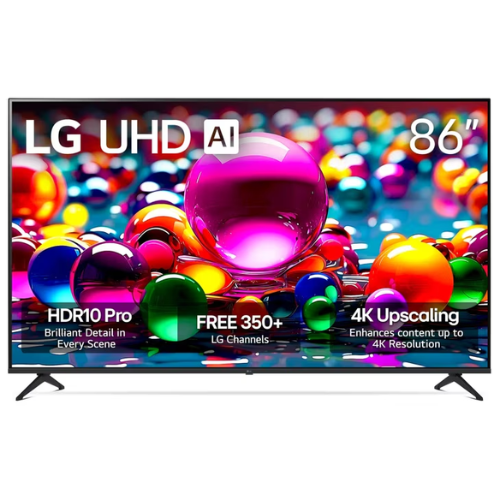
What does LG stand for here? A balanced approach. Not the flashiest, not the cheapest but impressively consistent. Especially in this UA77 series, the focus is on value, simplicity, and usability.
Warranties and Coverage
Each TV comes with a 1-year manufacturer’s warranty, but LG also offers its Premium Care plan through Asurion. This adds coverage beyond the basics, including surge protection and service with no hidden fees or deductibles. It’s optional, but worth considering if you’re investing in one of the larger models.
Pricing Snapshot
Here’s a quick look at recent sale pricing for the full UA77 series:
- 43” – $229.99
- 50” – $279.99
- 55” – $299.99
- 65” – $399.99
- 75” – $599.99
- 86” – $899.99
These are sale prices, so they may shift depending on stock and timing. But for a brand like LG Electronics, these numbers are impressively accessible especially when combined with occasional LG electronics promo code offers available through third-party retailers.
You don’t have to overspend to get a modern 4K TV experience that actually feels like an upgrade. The LG UA77 series hits the mark for those wanting real-world usability, solid visual performance, and built-in features that reduce the need for extras. It doesn’t pretend to be something it’s not, it just does the basics extremely well and then adds a few perks to keep things interesting. For anyone browsing LG TV reviews, this is a standout worth bookmarking.
Follow VibenVenture for more on the best electronics for your home.
Related
Coffee Tables That Will Instantly Enhance Your Living Space

Make Room for Style With These Furniture Swaps That Change Everything

Is the Toybox 3D Printer Worth It for Kids & Creators
Memorialize: The Only Way to Get a Complete Family Picture
